
Design the network once.
Design a network in one place, and you stop fighting the drift. The floor plan, the equipment, the WiFi coverage, the cable runs, the bill of materials, the client quote and the install checklist are all the same design — not seven files that disagree by revision four. Place an AP and the heatmap redraws. Move a switch and the BoM and quote follow. And where placement is grunt work, Foresight does it for you — set the coverage bar per zone and the planner places the WiFi, then proves it.
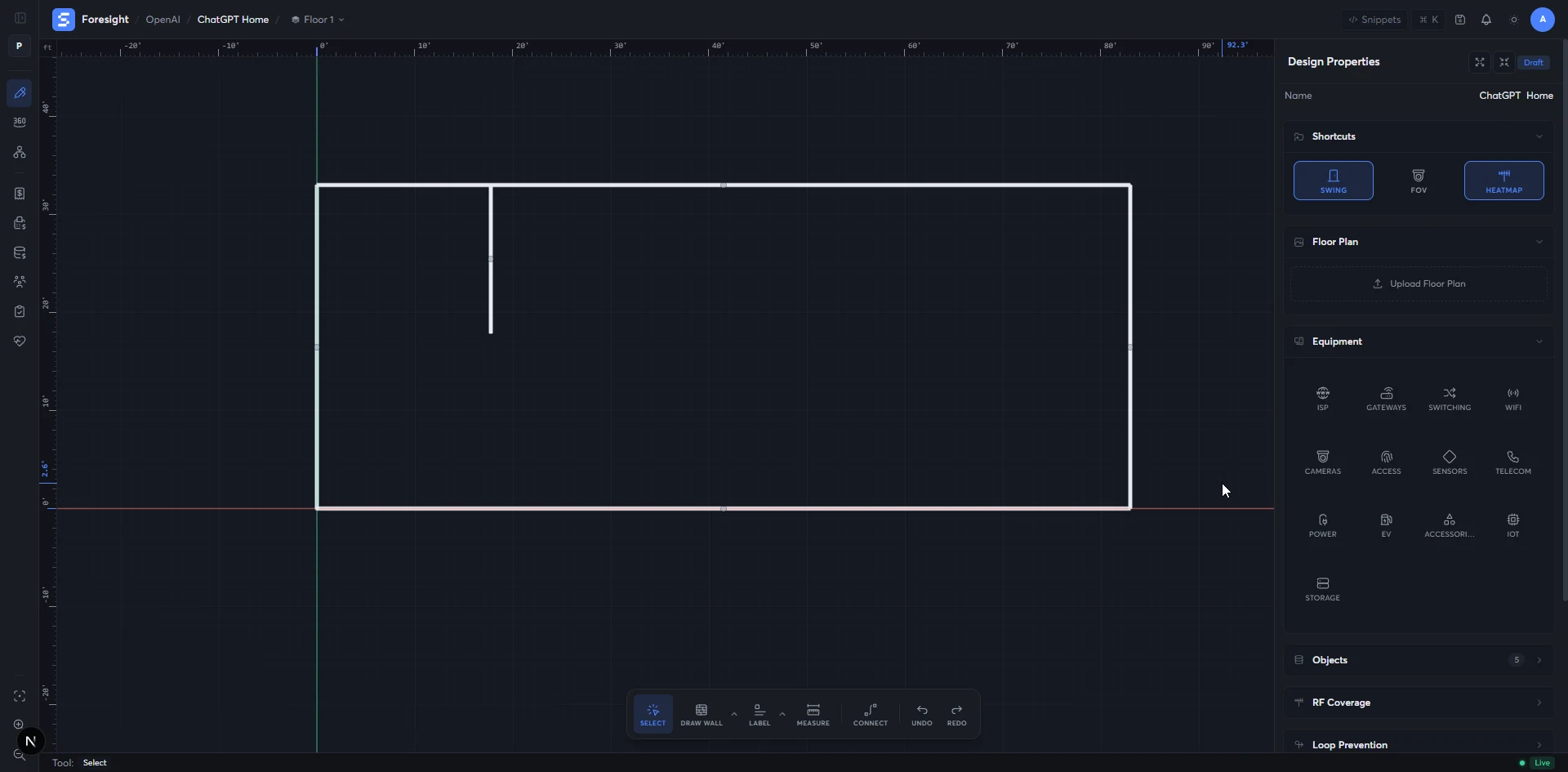
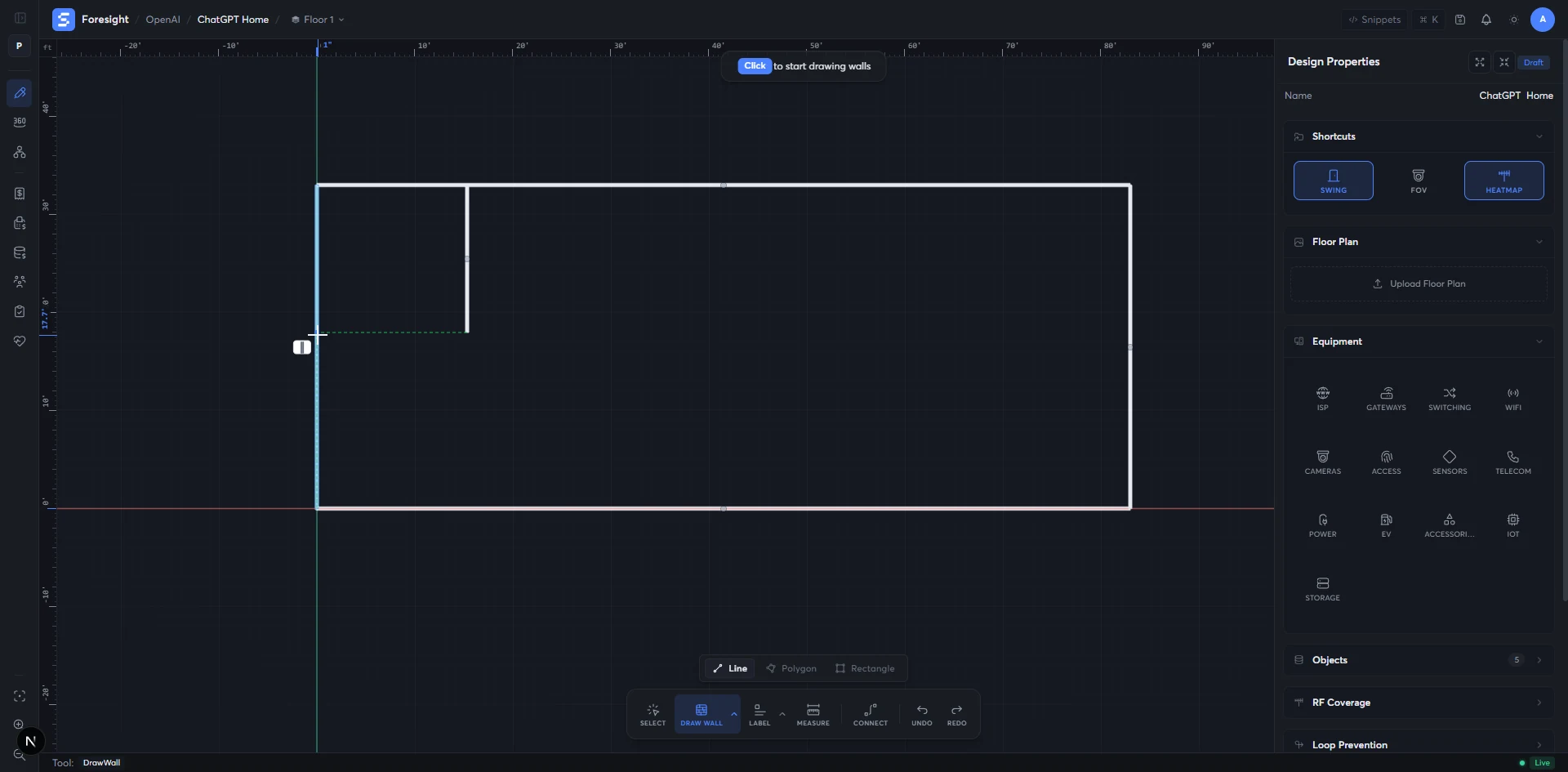
Walls, doors, windows, dimensions — exactly where they are.
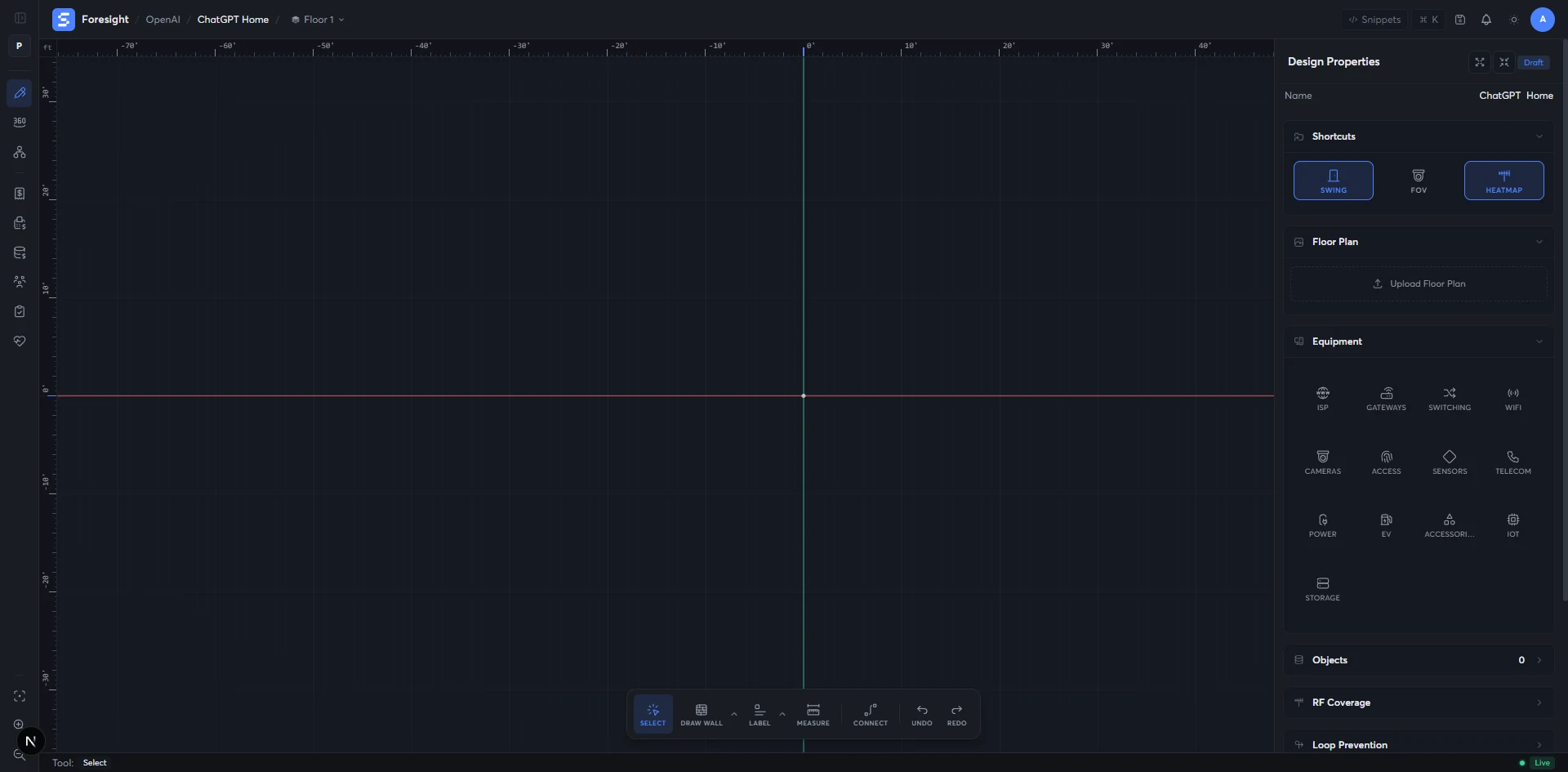
Drop in a PDF, an image, or draw the plan on the canvas. Every wall measured, every dimension a number you can hand to a contractor.
- inputPDF · image · or draw
- wallssnap to ortho · 1 in
- first-classdoors · windows · penetrations
- updatestopology · BoM · WiFi
- PDF or image floor plan
- Building shell (length, width, ceiling height)
- Doors, windows, penetrations
- Measured vector floor plan
- Doors / windows / penetrations as first-class objects
- Foundation for WiFi coverage and cable runs
The full UniFi line, live, behind every drag.
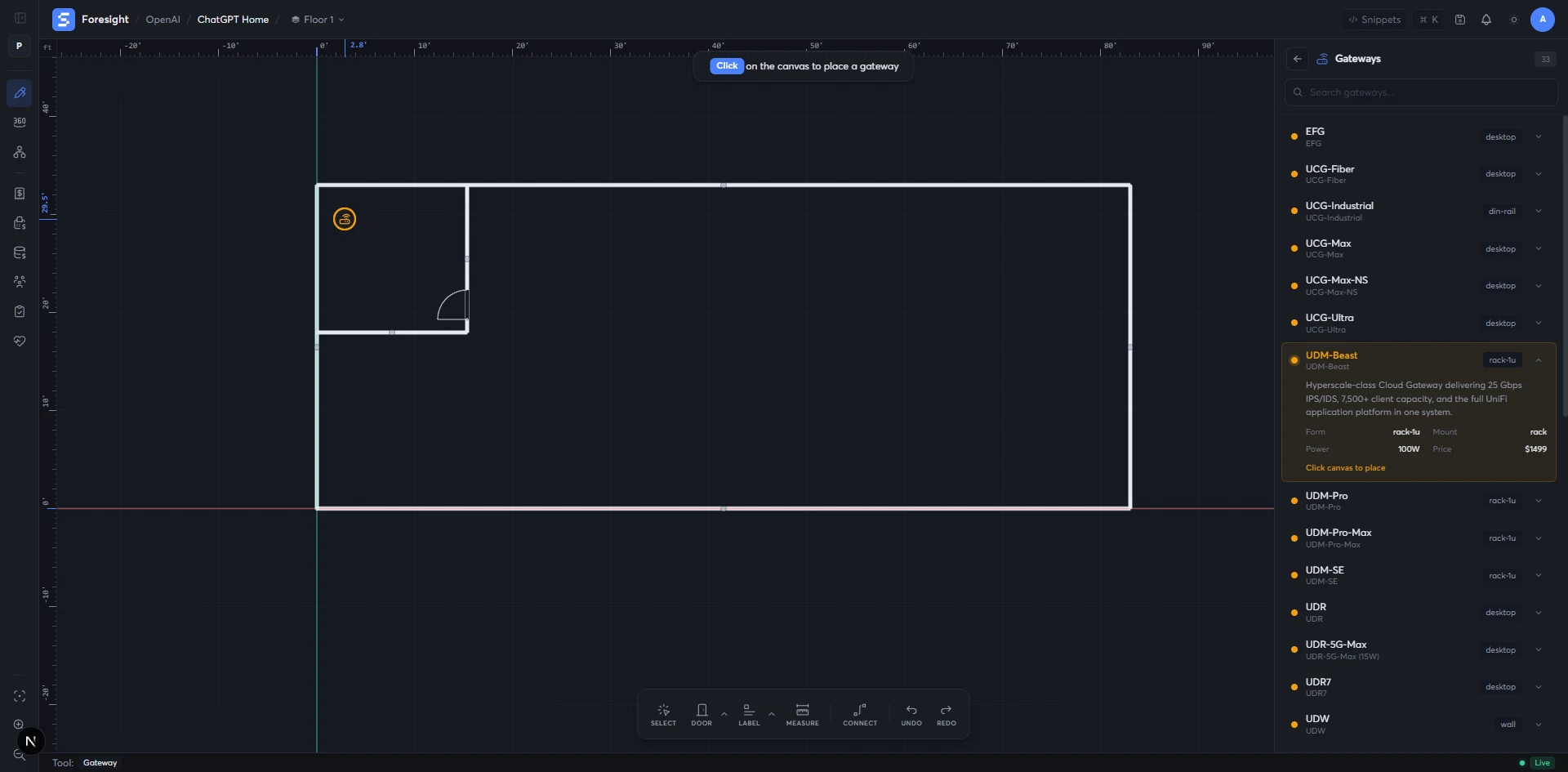
Over 500 UniFi products with mount types, port counts, PoE budgets, antenna patterns and product images — kept in sync with the manufacturer so you never quote a model that's been replaced.
- gateways22 models
- switches51 models
- access points43 models
- cameras32 models
- The current UniFi line (kept in sync)
- Mount-type compatibility per product
- PoE / power / port specs
- Placed devices with full spec
- Live BoM lines as you drag
- Topology that knows what each device can do
Set the coverage bar. Foresight places the WiFi.
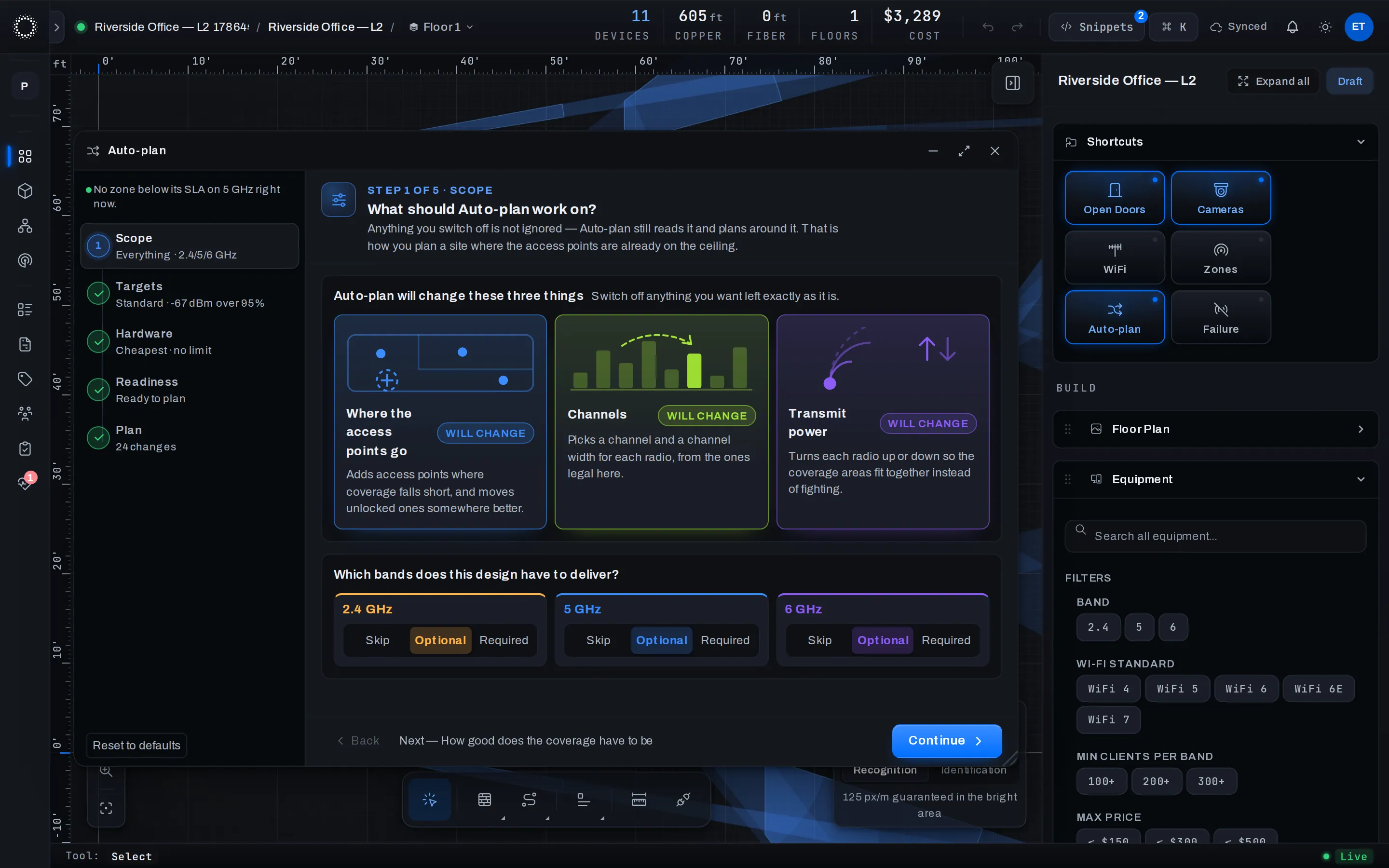
Mark what each area needs — offices, warehouse aisles, a courtyard — and the planner picks AP models from the live catalog, places them, assigns channels across bands, and proves the result against the same RF engine that draws the heatmap.
- walkthroughscope → catalog → place → verify → apply
- placementoperator loop · self-critiques
- channels2.4 / 5 / 6 GHz · planned
- controlreview first · apply is yours
- Coverage zones and the target each one must hit
- The building you drew — walls and all
- The catalog families you allow
- Placed APs with mounts and bands
- A channel plan across 2.4 / 5 / 6 GHz
- Coverage verified against the target — before you commit
Coverage drawn against the actual building, not a circle on a map.
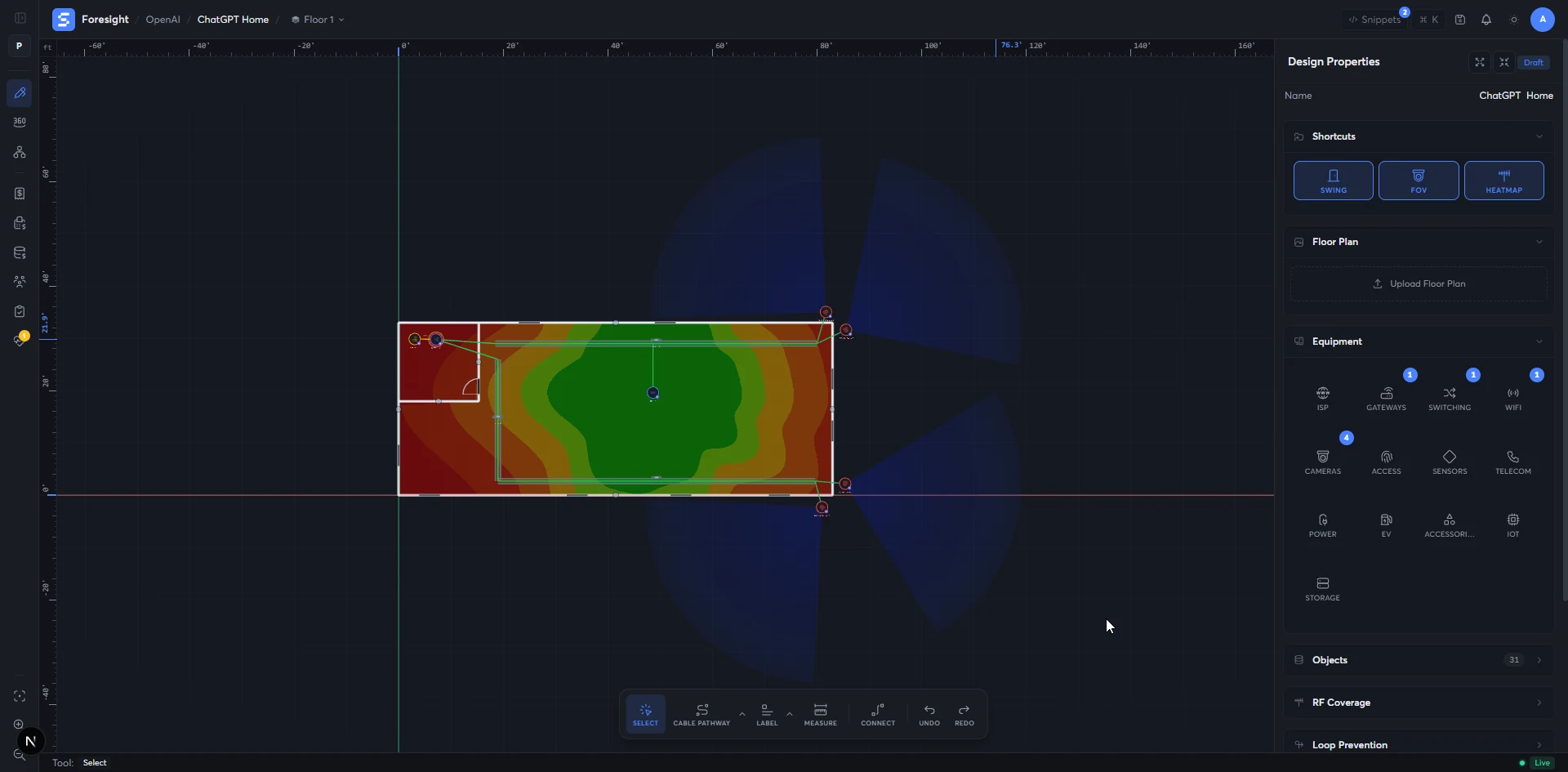
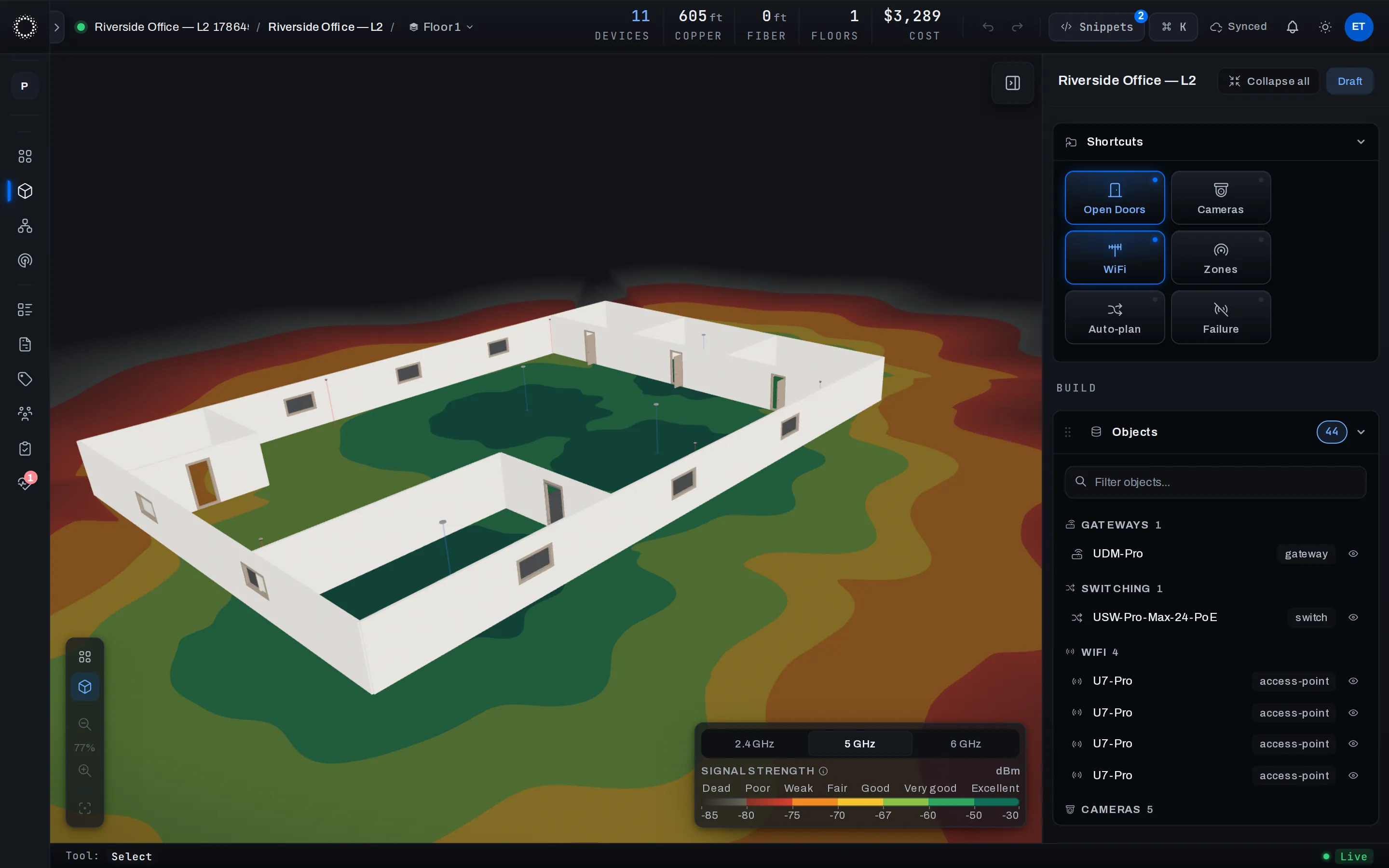
WiFi coverage drawn against the actual building — each wall attenuates signal the way it really does, each AP radiates the pattern its real antenna does, and the map redraws under your cursor as you move things.
- wallsattenuate signal · really
- antennasmanufacturer pattern · per AP
- redrawslive · under your cursor
- bands2.4 / 5 / 6 GHz
- Walls and what they're made of
- Where the APs sit — placed by you or by auto-plan
- The antenna pattern for that AP model
- Coverage map across the floor
- Dead zones flagged automatically
- Coverage roll-up per band
Select an AP, and its radios open up.
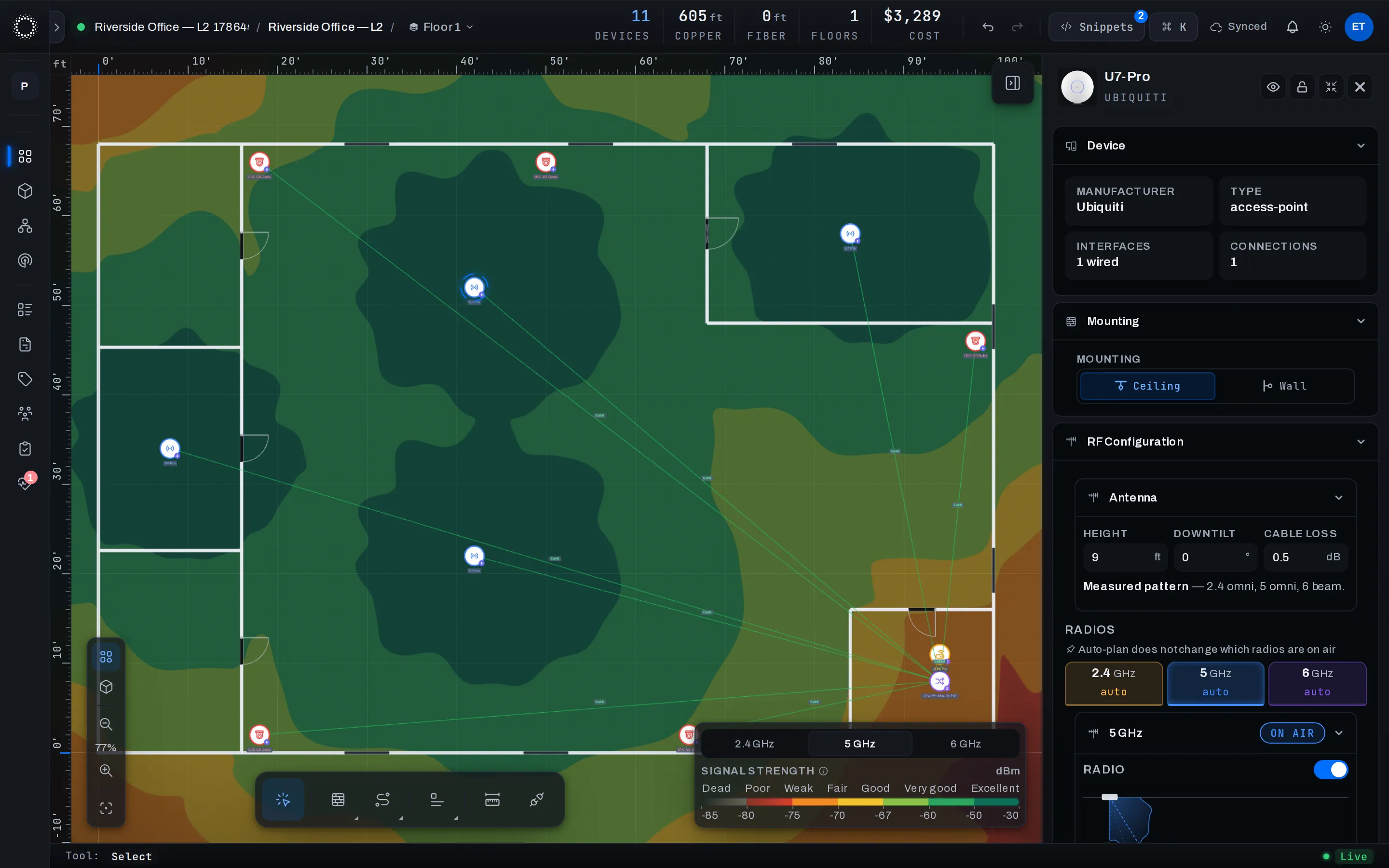
Every access point carries its real radios — 2.4, 5 and 6 GHz, each with its own channel, width and power — behind the measured antenna pattern for that exact model.
- radios2.4 / 5 / 6 GHz · per AP
- antennameasured pattern · per model
- mountingceiling · wall — the pattern follows
- auto-plannever flips radios on air
- The AP you clicked
- Its measured antenna pattern and mount
- Anything you've pinned by hand
- Per-band channel, width and power
- Antenna height, downtilt, cable loss
- A radio config the heatmap and auto-plan both respect
The wires the on-site crew will run, drawn against the design.
Connect a switch to a gateway and the topology draws itself — hierarchy, uplink type, cable, PoE budget, port allocation, all from what you placed.
- shapesstar · daisy · meshed
- mediafiber · copper · SFP+
- continuous checksPoE · port · speed · length
- cable runsmeasured · with slack
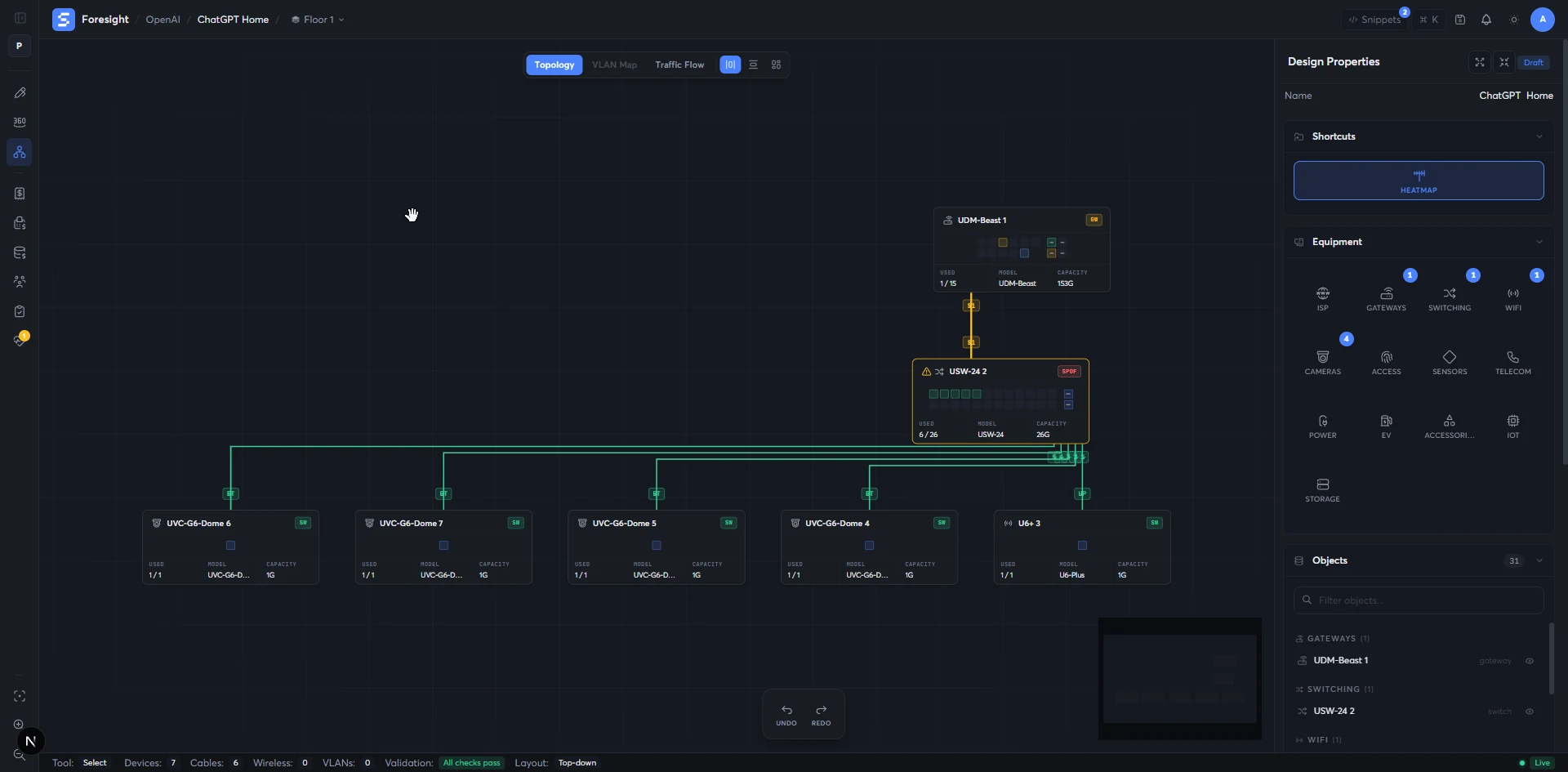
- Placed devices and their ports
- How you wired them together
- VLANs, subnets, and static assignments
- Switch hierarchy and downstream branches
- Single-point-of-failure highlights
- Per-port VLAN map and per-cable run with measured length
A bill of materials that comes out of the design, not after it.
Equipment, cabling, accessories, pathway, penetrations — totaled live as you draw, then turned into a versioned client quote with one click.
- live totalas you draw
- suggestionsjacks · panels · boxes
- client quoteversioned · line overrides
- exportCSV · client-ready PDF
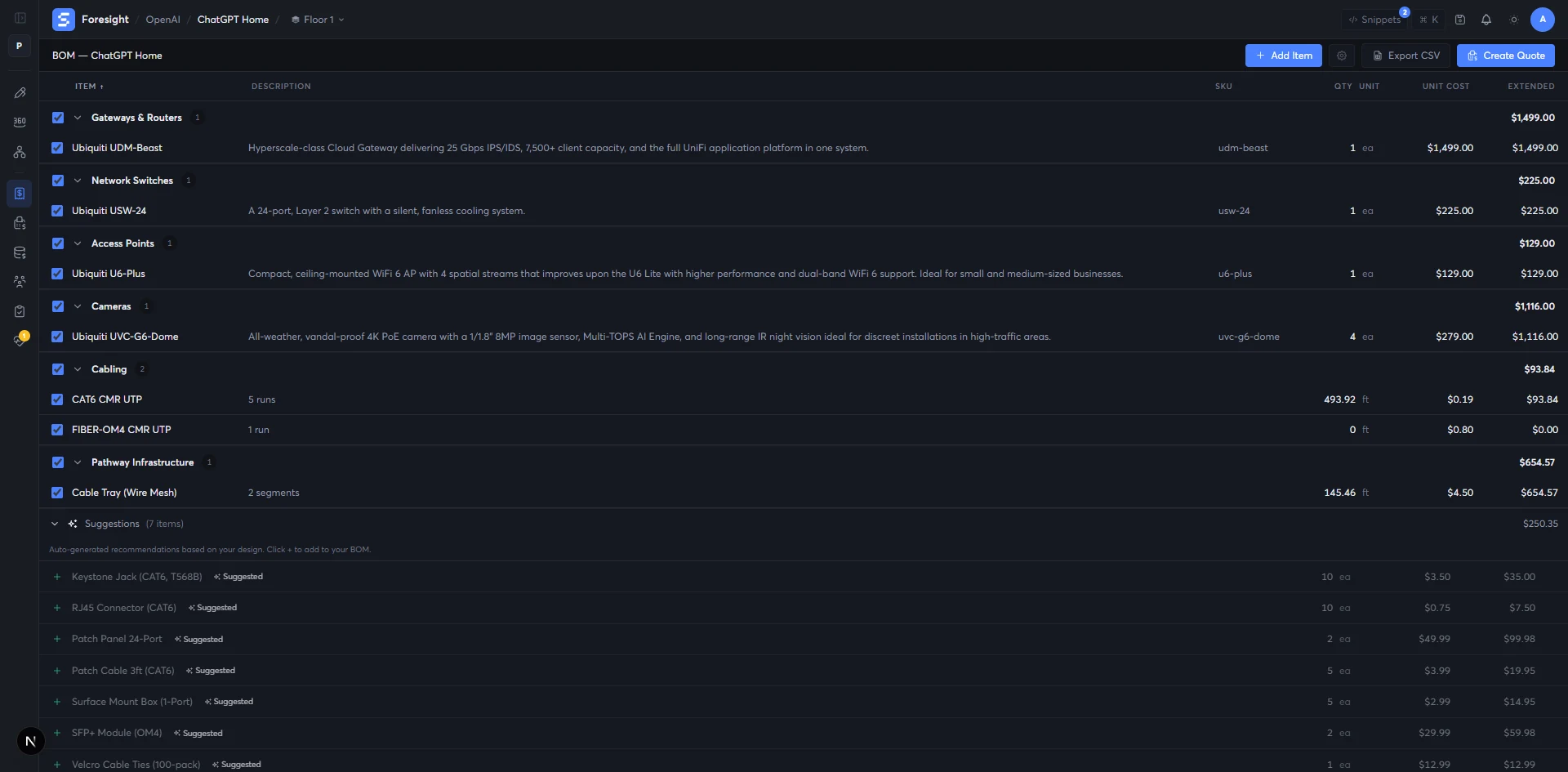
- Placed equipment
- Cable runs and pathway estimates
- Services and labor lines
- Itemized BoM (CSV)
- Versioned client quote with line overrides
- Quote-ready totals (CSV / PDF)
A pre-flight check on the network you haven't built yet.
Automatic checks across connectivity, redundancy, protocols, wiring, VLANs, addressing and RF — every finding pinned to the device on the floor that's causing it, with a fix in plain English.
- checksrunning continuously
- categoriesconnectivity · redundancy · wiring · VLAN · addressing · RF
- outputscore · sub-scores · findings
- actionlocate · fix · or waive
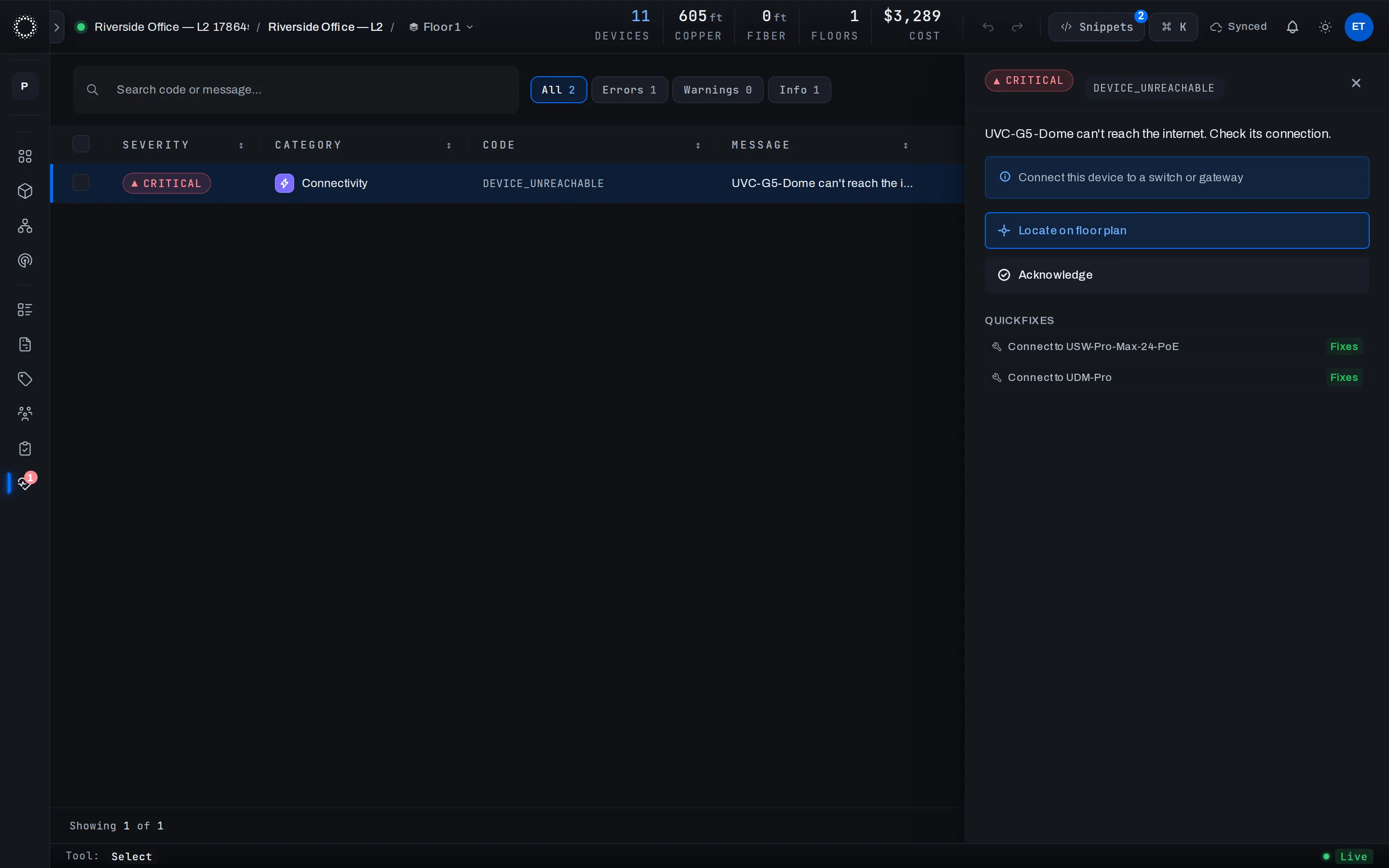
- The current design
- The check profile for this job
- Anything you've already acknowledged or waived
- Score 0–100 with sub-scores per category
- Severity-ranked findings, each pinned to the floor
- A plain-English fix for every one
Then walk the floor, and let reality weigh in.
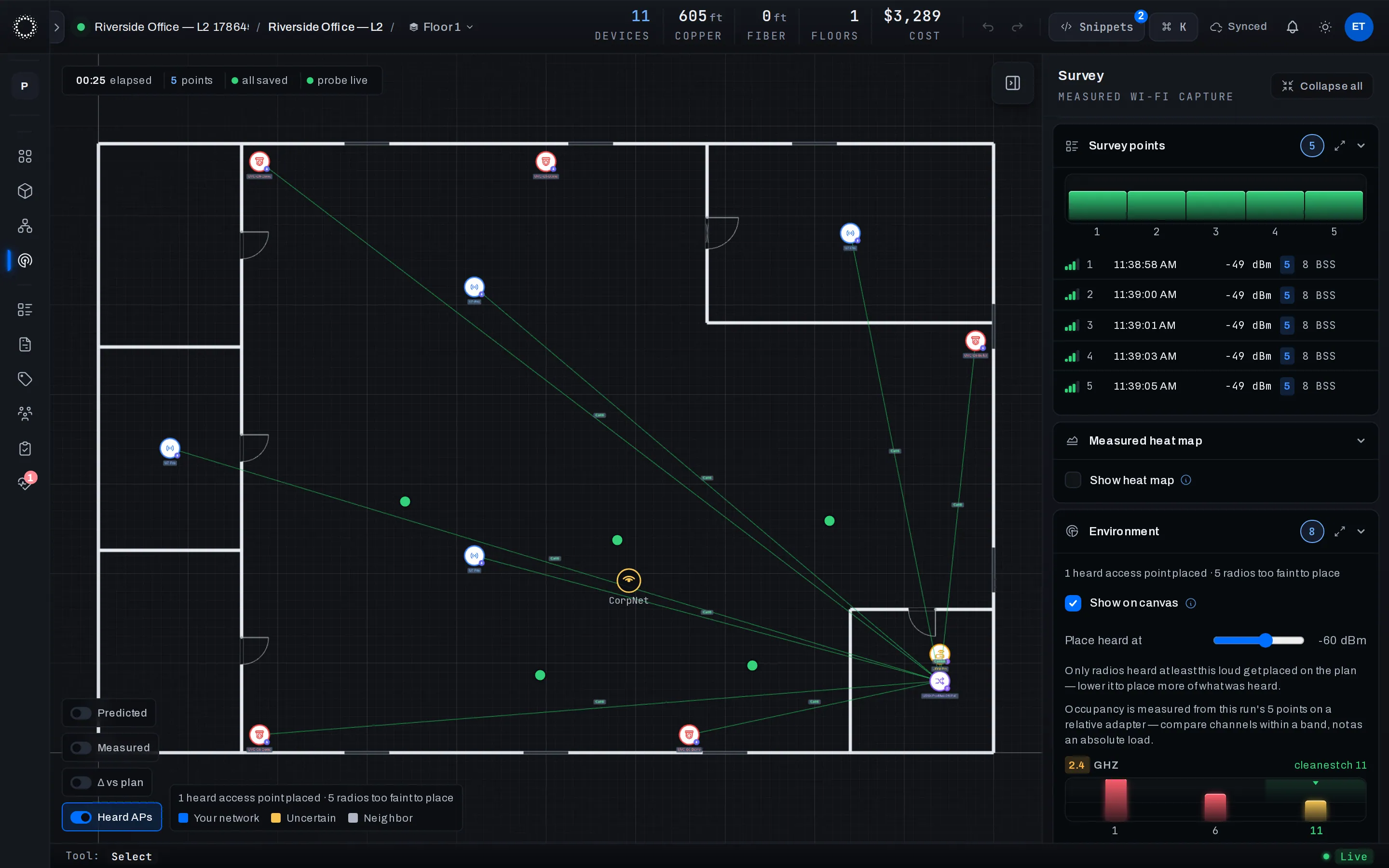
Plug the Field Scout probe into a laptop, walk the building, and tap where you stand — every tap records what the air actually contains, on the same plan you designed.
- probefield scout · captures as you walk
- each tapRSSI · BSS heard · per band
- environmentneighbors · channel congestion
- verdictmeasured vs predicted · Δ vs plan
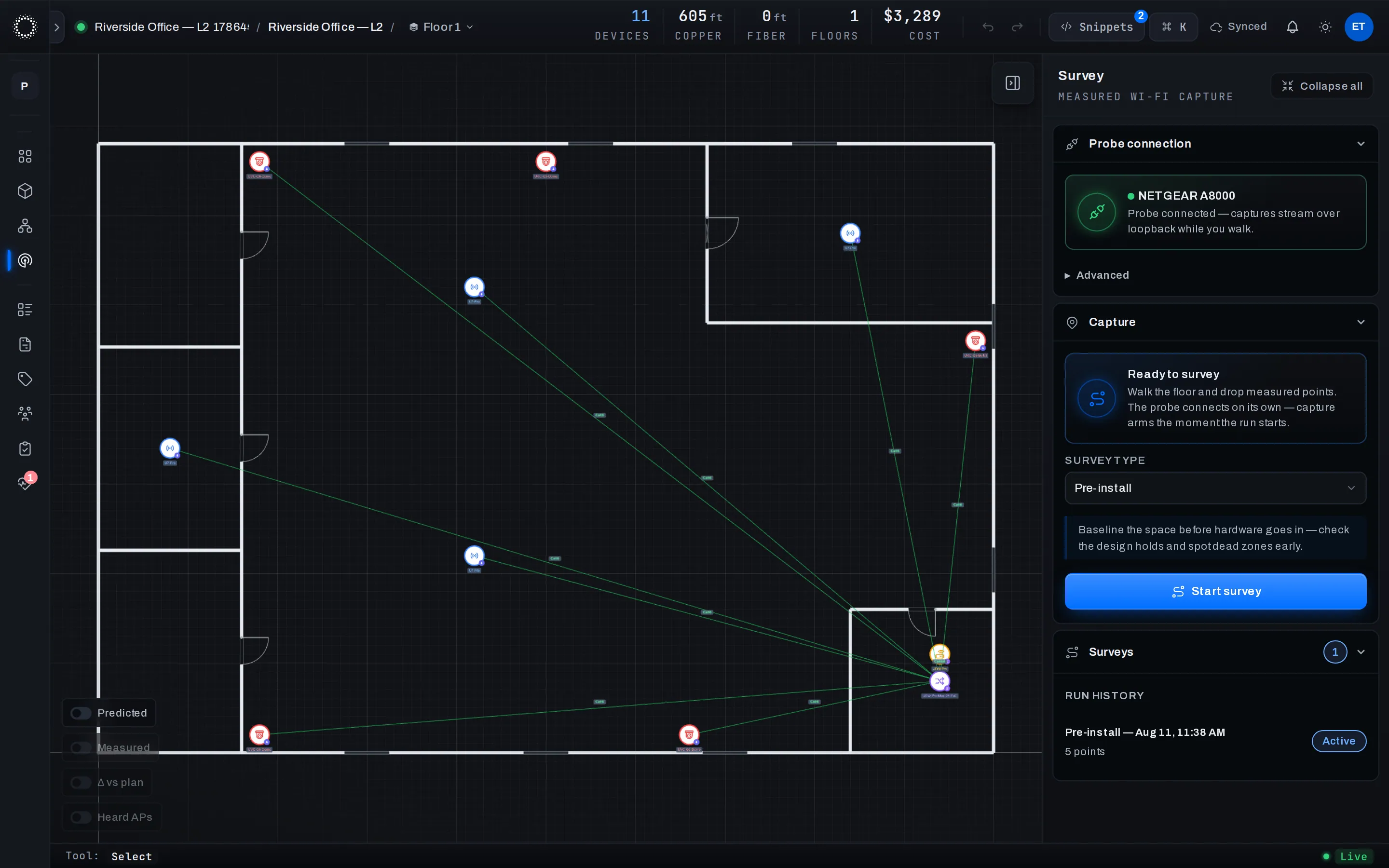
- The Field Scout probe on any laptop
- A walk through the building
- The design you're checking reality against
- Measured points with per-band detail
- Heard neighbor APs, placed on the plan
- Channel congestion per band · Δ vs plan
See it in space, before anyone climbs a ladder.
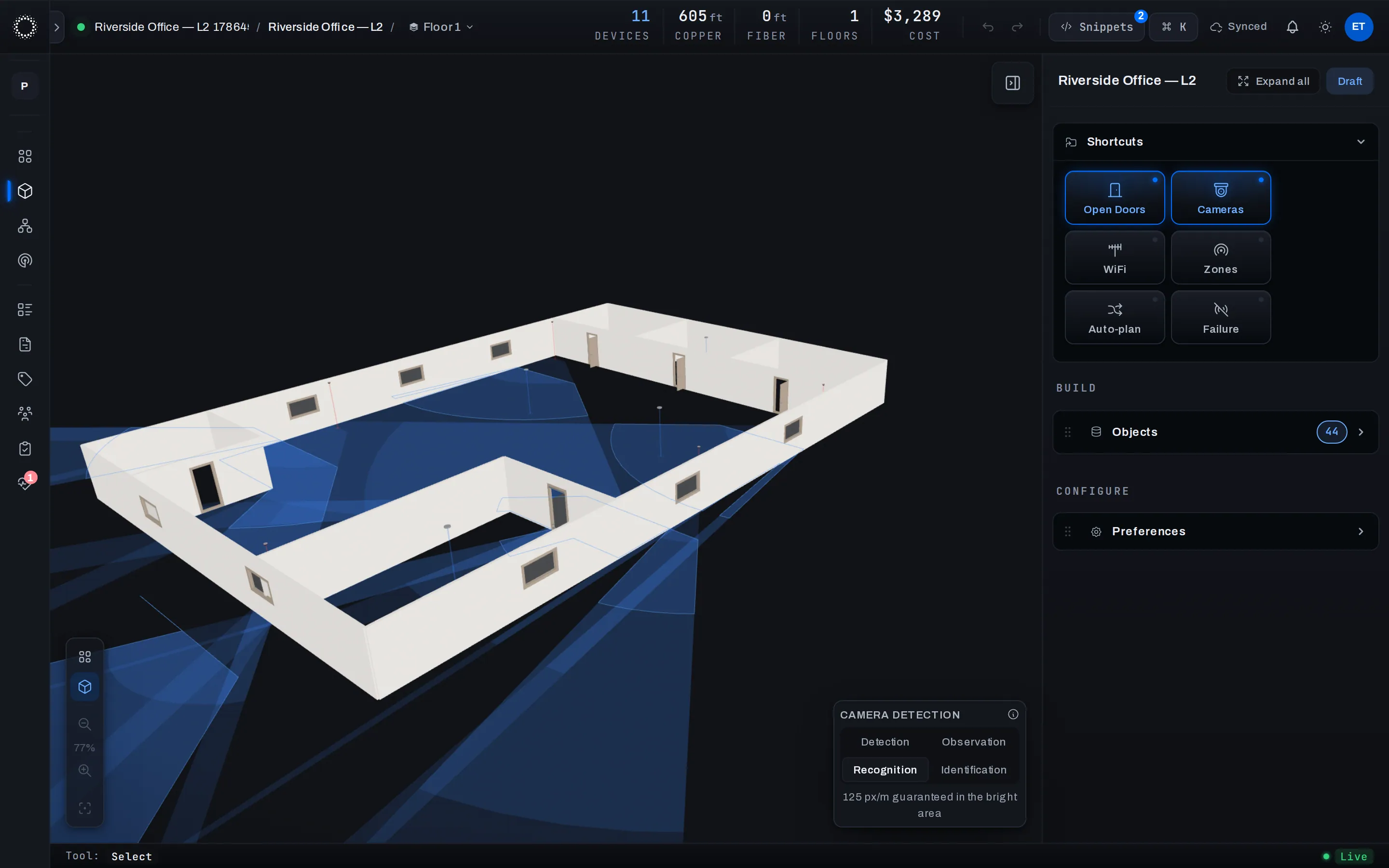
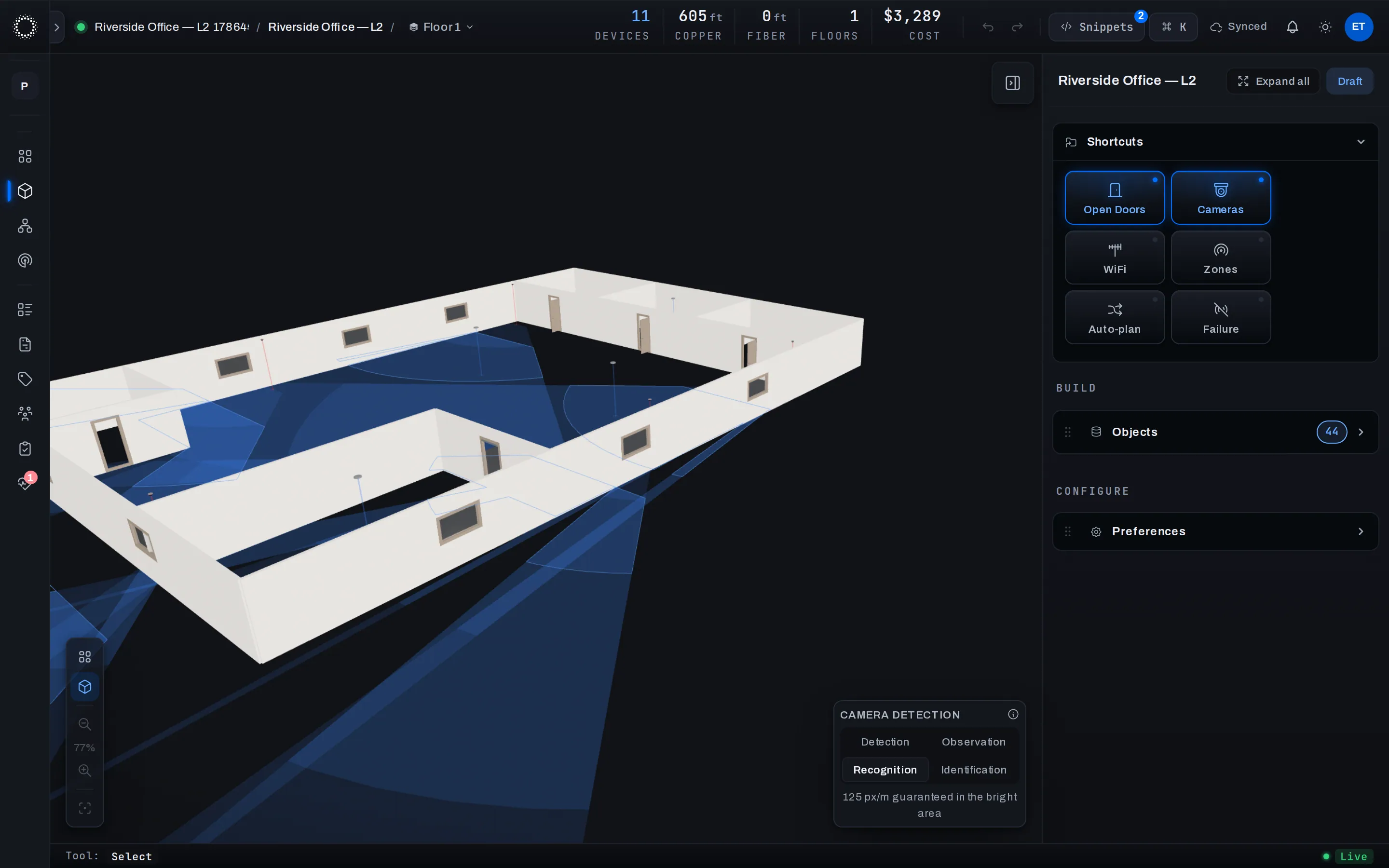
Walls stand at their real height, cameras throw their real field of view, mounts sit where they will sit on installation day — same design, just standing up.
- sourcesame design, two views
- mountsreal heights · real tilts
- camerasreal field of view
- round-trip3D ↔ floor plan · BoM
- The floor plan (walls, mounts, equipment)
- Where each device is mounted, and at what height
- Camera lenses and AP antenna data
- 3D model of the space, true to scale
- Camera coverage you can walk around
- Pre-install confidence — for the engineer and the client
Why we built it
Most tools model a slice. This models the whole job.
A UniFi engagement is a floor plan, a coverage map, a topology, a BoM, a quote and an install sheet that all have to agree. Foresight keeps them in one design — change the floor plan and the coverage, the BoM and the quote move with it.
A network plan lives in too many places.
Visio for the topology. A spreadsheet for the BoM. PDFs for the floor plan. A folder of screenshots for the heatmap. A Word doc for the install checklist. By revision four, none of them agree — and nobody can tell you which one is true.
The install crew inherits the gap.
The engineer who designed the network is almost never the one who pulls the cable. When the plan and the BoM and the rack elevation drift apart, the gap shows up on install day — on the floor, with the customer watching, with a truck of the wrong parts and a cable run that’s six feet shorter than the wall it’s supposed to reach. That re-pull is the most expensive cable in the building.
One design. Everything else follows from it.
Foresight holds the floor plan, the equipment, the WiFi coverage, the topology, the BoM, the client quote and the install checklist as one design. Move a switch and the BoM and quote update. Edit a wall and the coverage redraws. When the design is final, the install checklist comes straight out of it. There’s nothing to reconcile, because nothing was ever separate.
Roadmap
What ships first, what comes next.
The v1 build already covers the engagements we run today. The right column is where we’re taking it next — no dates promised until it’s in your hands.
Ships in v1
- 01Floor-plan import (PDF, image, or draw on the canvas)
- 02Walls, doors, windows, penetrations, cable pathways — all first-class
- 03Snap-to-ortho walls with measured dimensions
- 04Live UniFi catalog with mount types, ports, PoE budgets and antenna data
- 05Auto-plan: coverage targets in, placed and channel-planned WiFi out
- 06WiFi coverage map shaped by real walls and real antenna patterns
- 07Per-radio RF control — bands, channels, width, power, measured antenna patterns
- 08Measured surveys — walk the floor with the Field Scout probe; heard APs and channel congestion land on the plan
- 09Topology view with single-point-of-failure highlights and wiring checks
- 10VLAN configuration with per-port assignment and a live VLAN map
- 11IP and subnet management with continuous addressing checks
- 12Live bill of materials totaled as you draw
- 13Versioned client quotes with per-line overrides (CSV / PDF)
- 14Continuous health checks with plain-English fixes
- 15Config snippets generated from the design
- 16Install checklist auto-generated for the on-site crew
- 17Real-time collaboration — presence, live cursors, shared edits
- 183D view with walls at real height and cameras showing real field of view
- 19Multi-floor support with cross-floor cable runs, RF and camera coverage
Roadmap
- →Parametric dimensions — Inventor-style driving constraints
- →Cable pathway routing along real corridors and risers
- →Floor-plan underlay tracing and sketch inference
- →Auto hardware selection for whole projects
- →Network discovery and diagnosis for existing sites
- →Traffic / routing / switching simulation
- →On-site install app for the field tablet
- →Signed health certificate as an exportable artifact
- →Equipment lifecycle tracking with warranty and RMA workflow
One design, from first wall to install day.
We’re opening early access to a small first cohort. You’ll get the full editor, the live UniFi catalog, the auto-planner, the WiFi coverage map, the BoM and quote pipeline, and a direct line to the team building it. One email when invites go out — no marketing list, no drip, no sales call.